hobby-ish gamedev. This website contains my raw notes and documents my progress.
coop coop coop
Creating weapon animation and syncing
Content:
- animationplayer
- synchronize that across the network (only the host knows when a weapon input is valid)
Attention: You need a reset animation track, the start should be the default value of the animation. If it is 0, the sprite just disappears. use the top key buttons to just insert the values.
If you configured everything wrongly in the wrong animation track, just duplicate it and remove the entries from the reset.
Problem: Animation is currently not synchronized Solution: We created a function to play the animation, which only can be called by the server. The input, that the client needs to have the animation run comes with the PlayerInputSynchronizerComponen and gets send to the server. Which then is able to run an rpc call on a function that only he is able to execute, which then tells the clients to run the animation (which in turn “replicates” the animation). This is not a graphical replication, it is an execution of the animation on the client which is now “allowed” to run, after it asked the server to execute the function on itself.
Muzzle flash animation
Content:
- particle systems
Add a particle png file with multiple sprites that have different kinds of forms for diverse effects. As these are 4 sprites, you need to adapt to it via the CanvasItem Property
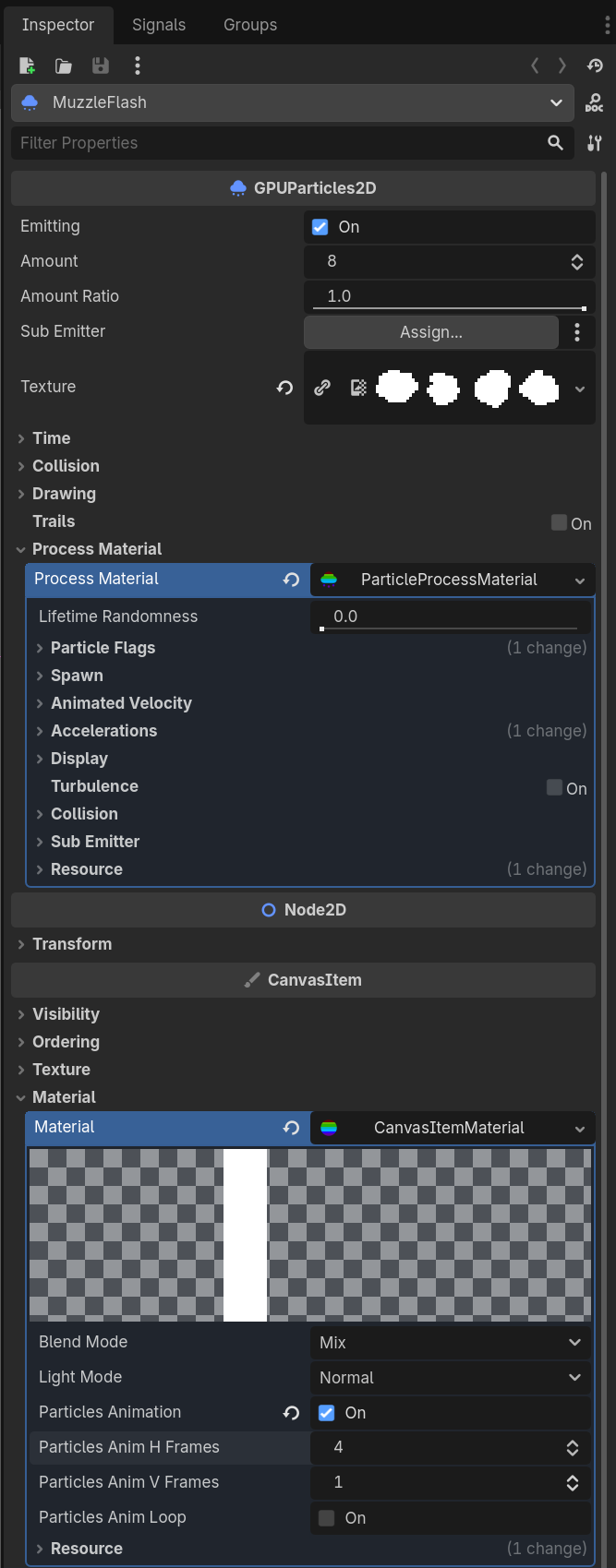
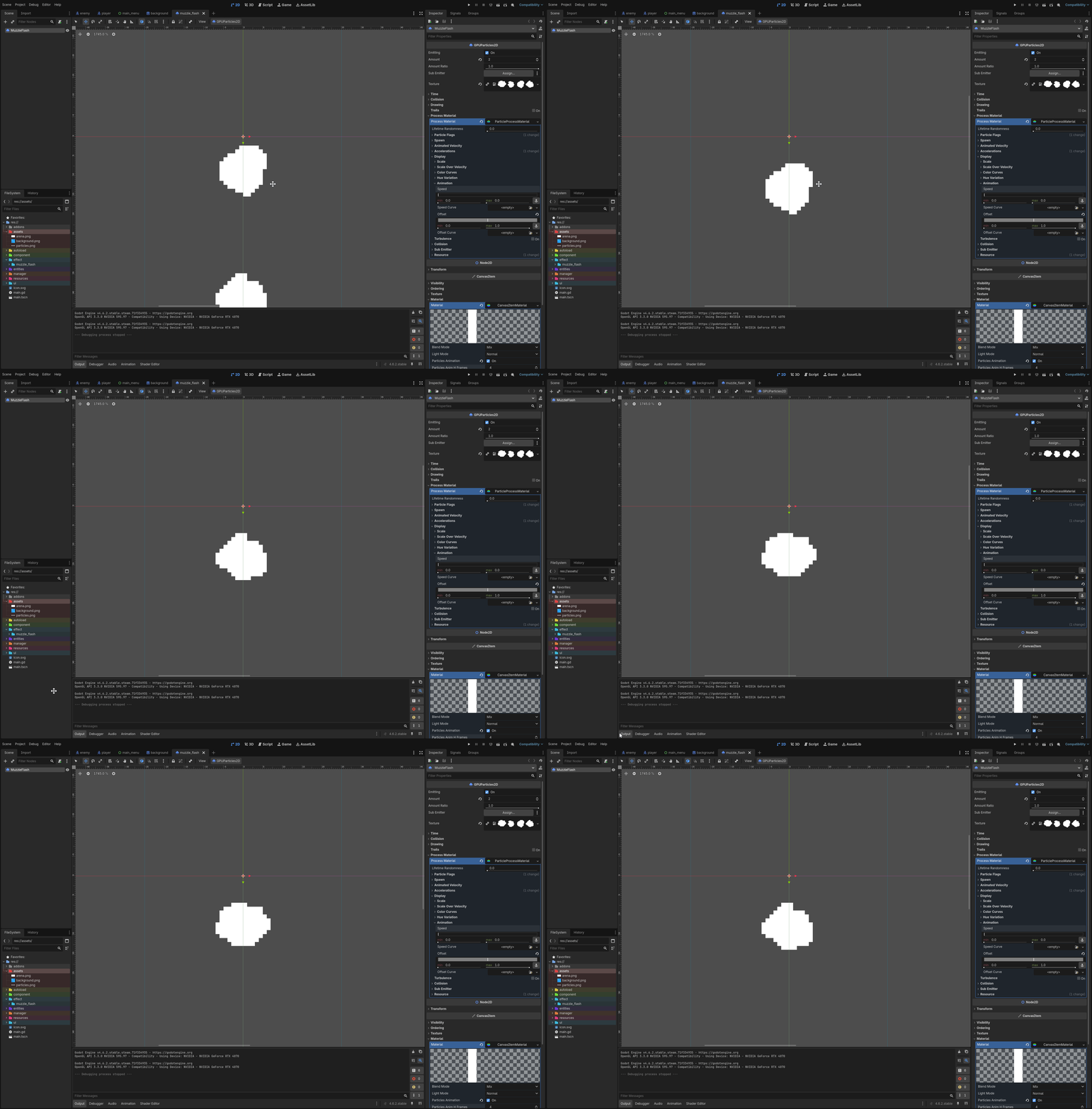
To cycle through all 4 sprites, you need to define the animation offset within the ParticleProcessMaterial. 100% means all four options are chosen by random. If you choose 74%, the last option will never be chosen.
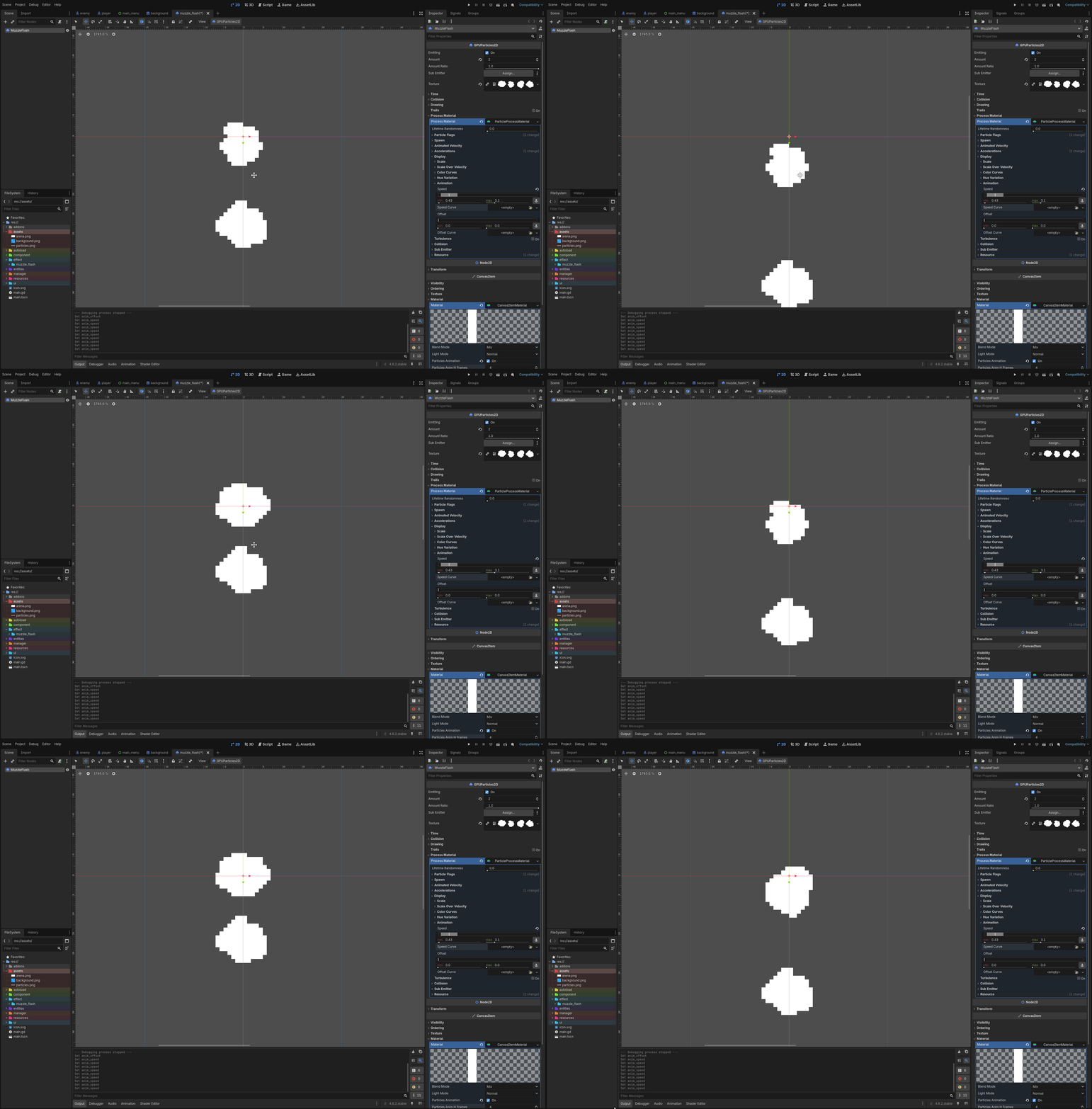
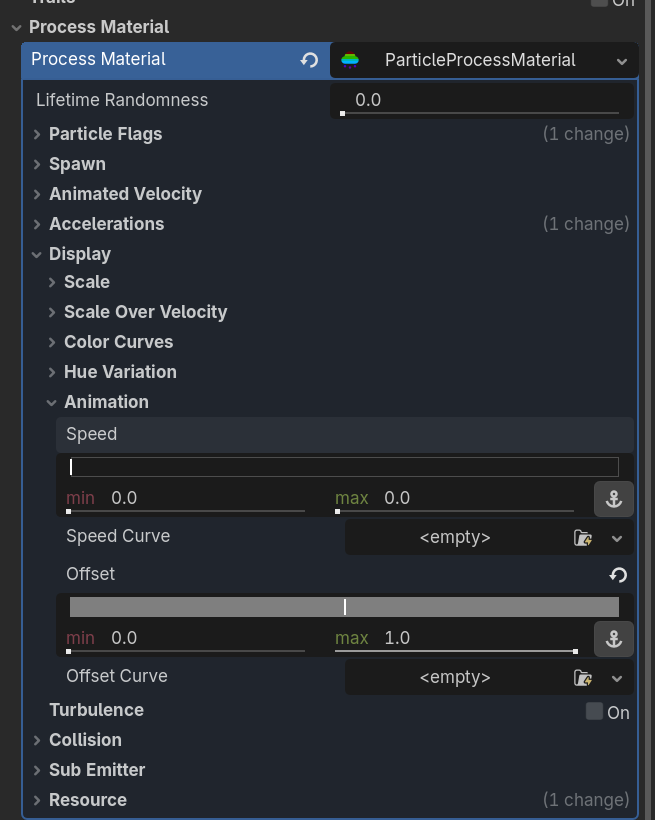 (Focus on the Offset. If you change the speed values, the emitted particle just cycles during the different sprites during its lifetime.)
Speed set:
 Offset set:
Credit: Firebelley Games (Coop Tutorial, check it out!)