hobby-ish gamedev. This website contains my raw notes and documents my progress.
Unity vs godot and some gamejam
I read a reddit post where someone was asking when it “clicked” for people in godot. I thought about that, and it never really did. Unity on the other hand clicked instantly with me, as the component system is very intuitive to me. Its easy to assign things capabilities. Godot can somewhat imitate this by using the composition approach, and somehow that feels good, but it doesnt “click” for me … or does it?
Main difference between both is that unity uses a “flat model” where one gameobject holts multiple components in a simple list. Godot uses a hierarchical tree, where every child node inherits properties from its parents, just like in real life.
What are the plans for today? I slacked off as always and need to continue doing stuff for the gamejam. In retrospective. these were the major reasons why I’ve never finished a project for a gamejam. Well, I havent finished any gamedev project really, but I make progress.
Procrastination because of
- “other things feel better than this”, i fall for instant gratification very often
- “I dont want to think about it because it feels bad to learn hard stuff”
Coping methods
- Urge surfing - when procrastinating pause for 10-30 seconds and observe your cravings without acting, gradually weakening their pull
- Break tasks into smaller tasks - I am kinda doing that in my google project file
- Pomodoro - didn’t do that for long because I hate it to stop for only like 5 minutes and then I wont start again because it is HARD for me to start. Pomodoro trains your brain that discipline feels good … doesnt do it for me tbh. But I will try again. Somehow, the only thing I like about pomodoro is that I have some kind of deadline to do and learn as much as possible in a short timeframe.
Ok lets do gamejam.
GDD. Lets check if the demake even runs in compatibility mode? This is not for copying it, but as it is a finished product I would like to see what issues I could have.

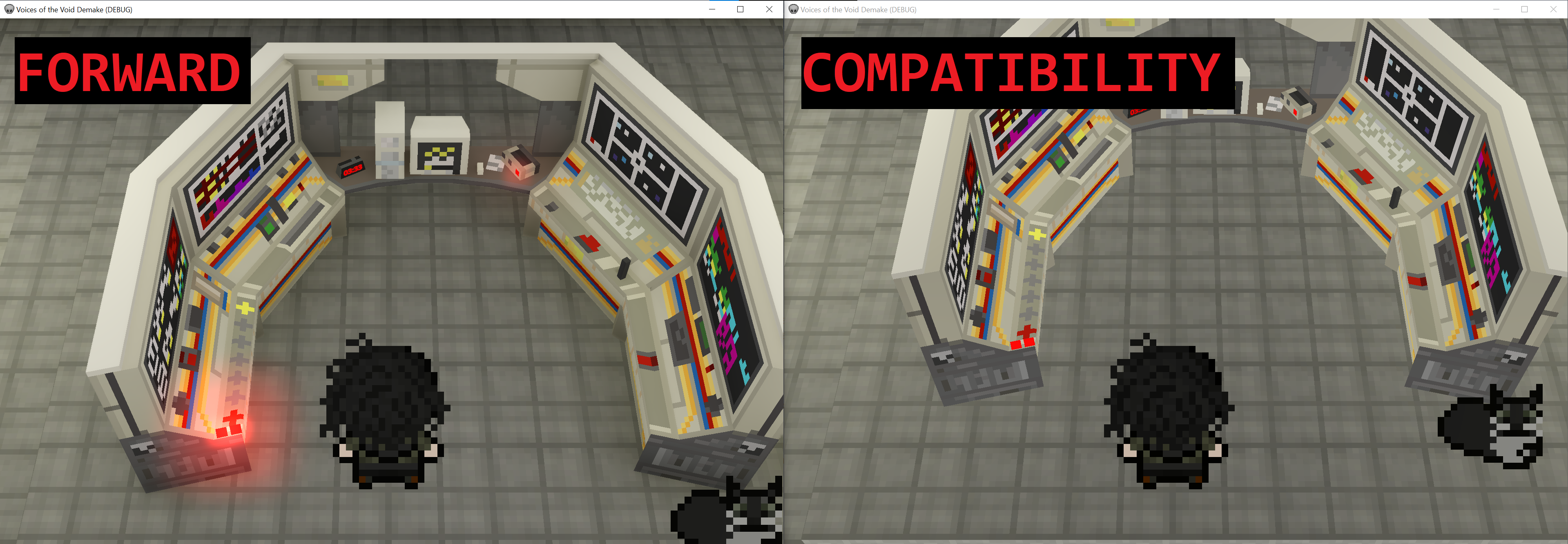
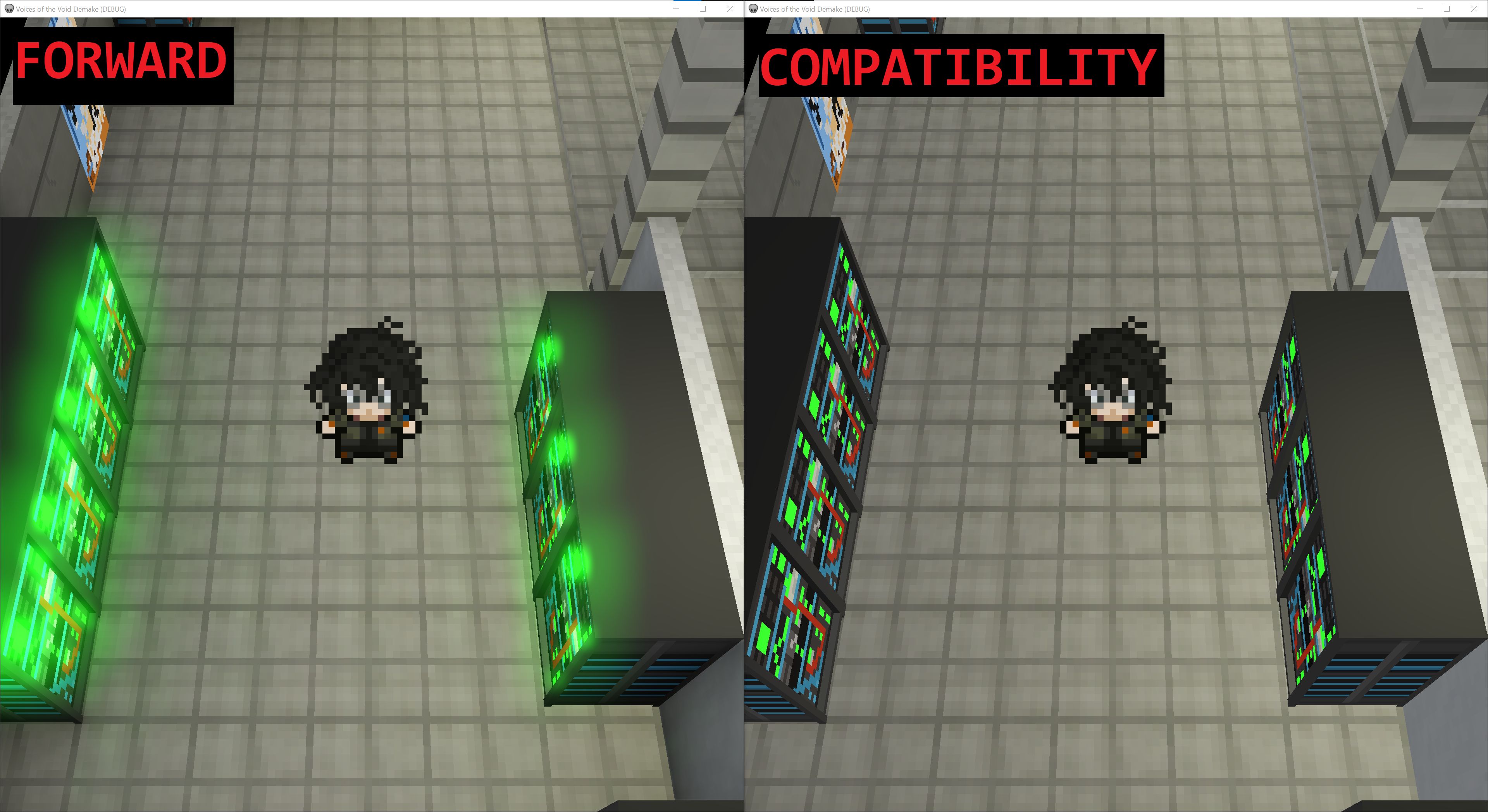
SSAO Screen Space Ambient Occlusion - Darkens shadows in corners and cracks to make it look more realistic. SSIL Screen Space Indirect Lightning - Lights shadowed areas for better depth without the use of much ressources. Glow or Bloom - Blurrs area of lights and brighthens them up (Example 1 + 2), taken from “Voices of the Voide Demake by captkuso”
Example 1
Example 2
Also, there is a demo project referenced on the godot documentation website which allows to view and test the different kinds of global illumination.
Godot Documentation: https://docs.godotengine.org/en/stable/tutorials/3d/global_illumination/introduction_to_global_illumination.html
Demo Project: https://github.com/godotengine/godot-demo-projects/tree/master/3d/global_illumination
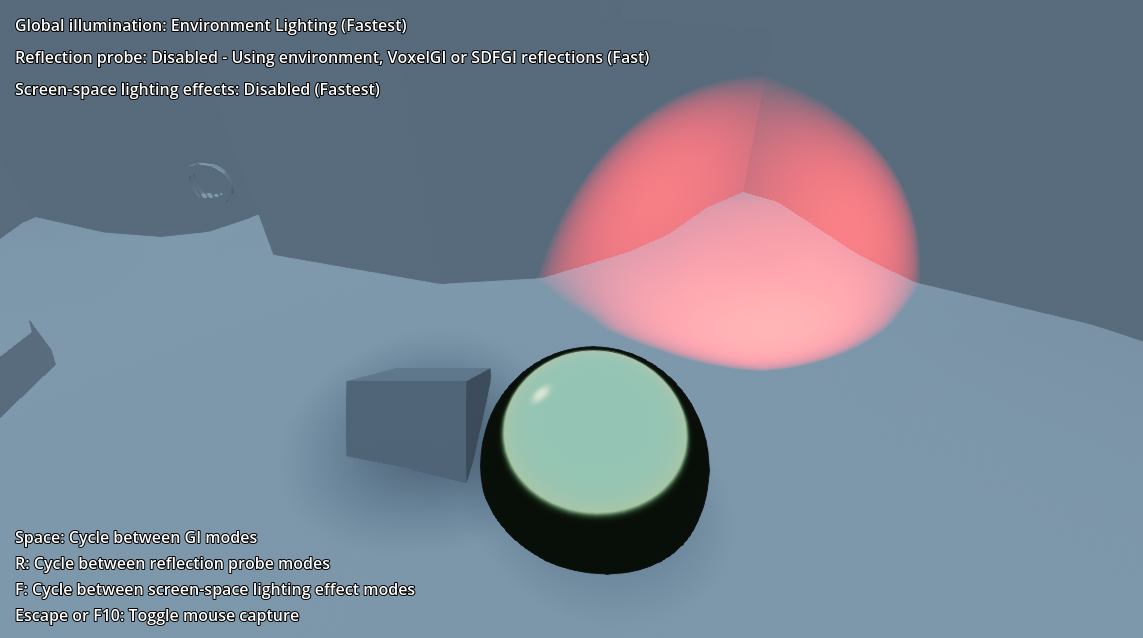
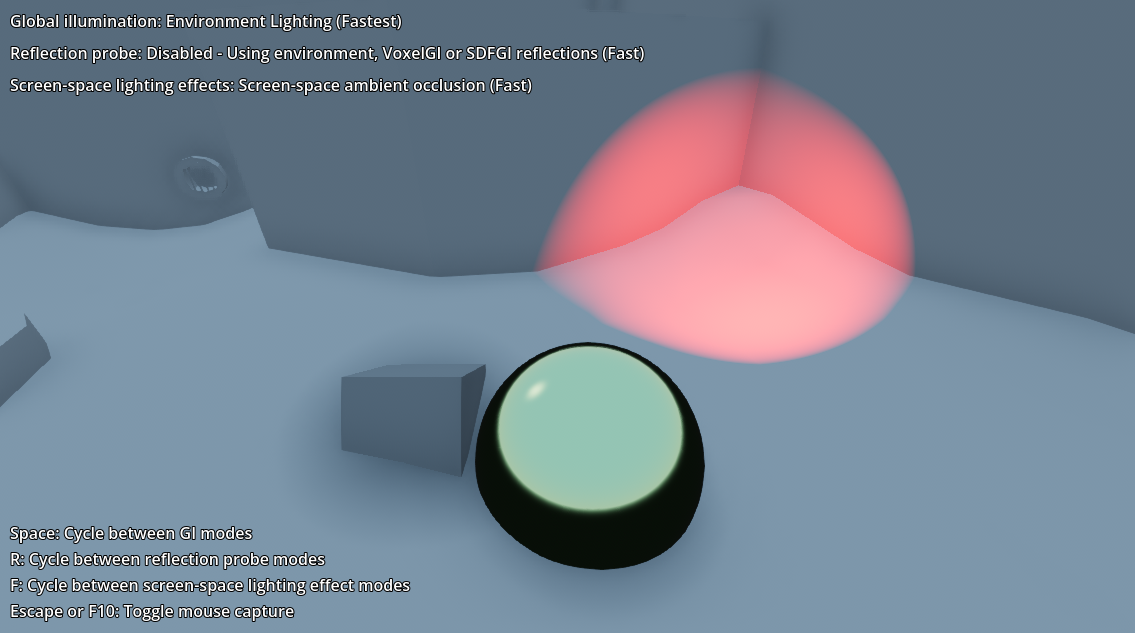
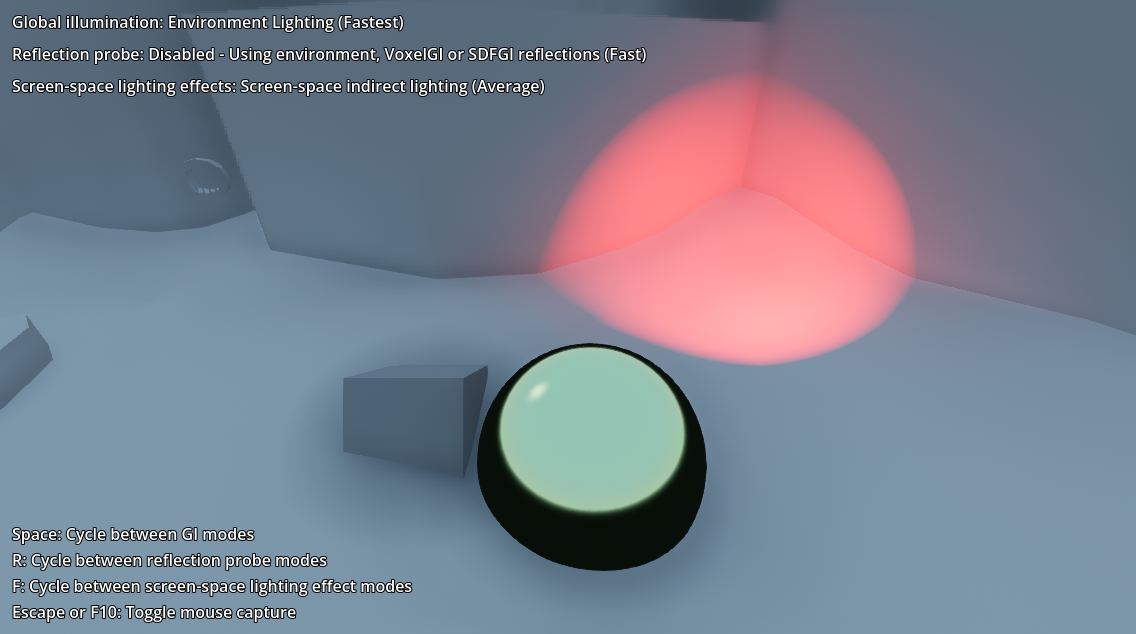
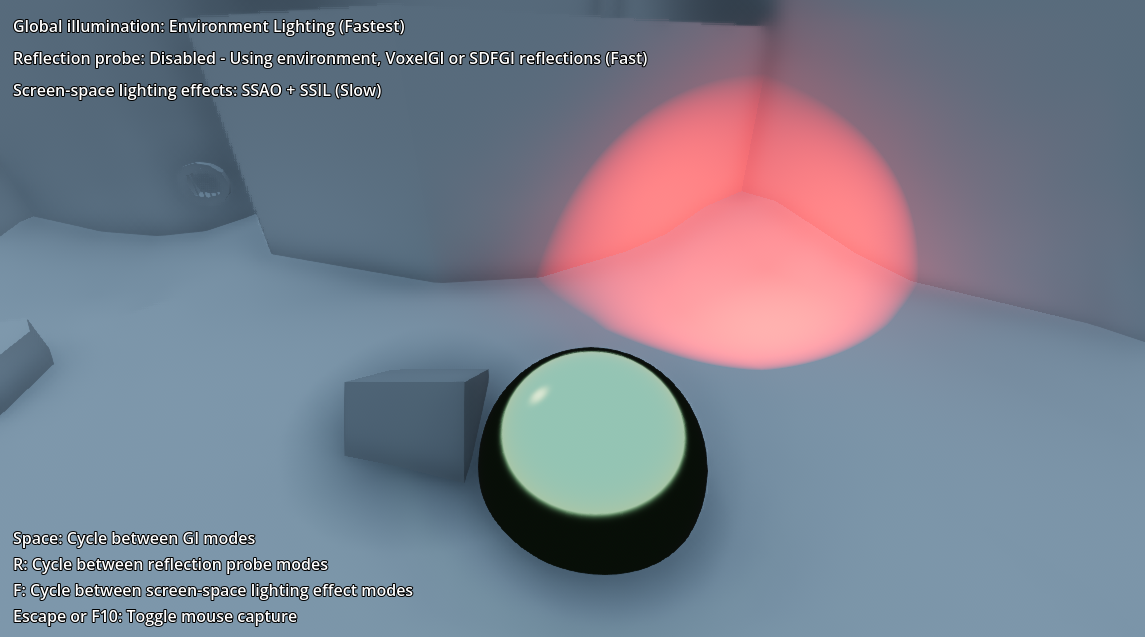
Focus on the red light and compare these different settings:
No Screen-space lighting
Screen-space ambient occlusion
Screen-space indirect lighting
SSAO + SSIL
The question is, can I even use this gloomy effect and where is it configured? It is called emission and it is a StandardMaterial3D that makes a surface look like its producing light. By changing the Energy Multiplier setting a glow effect can be simulated.
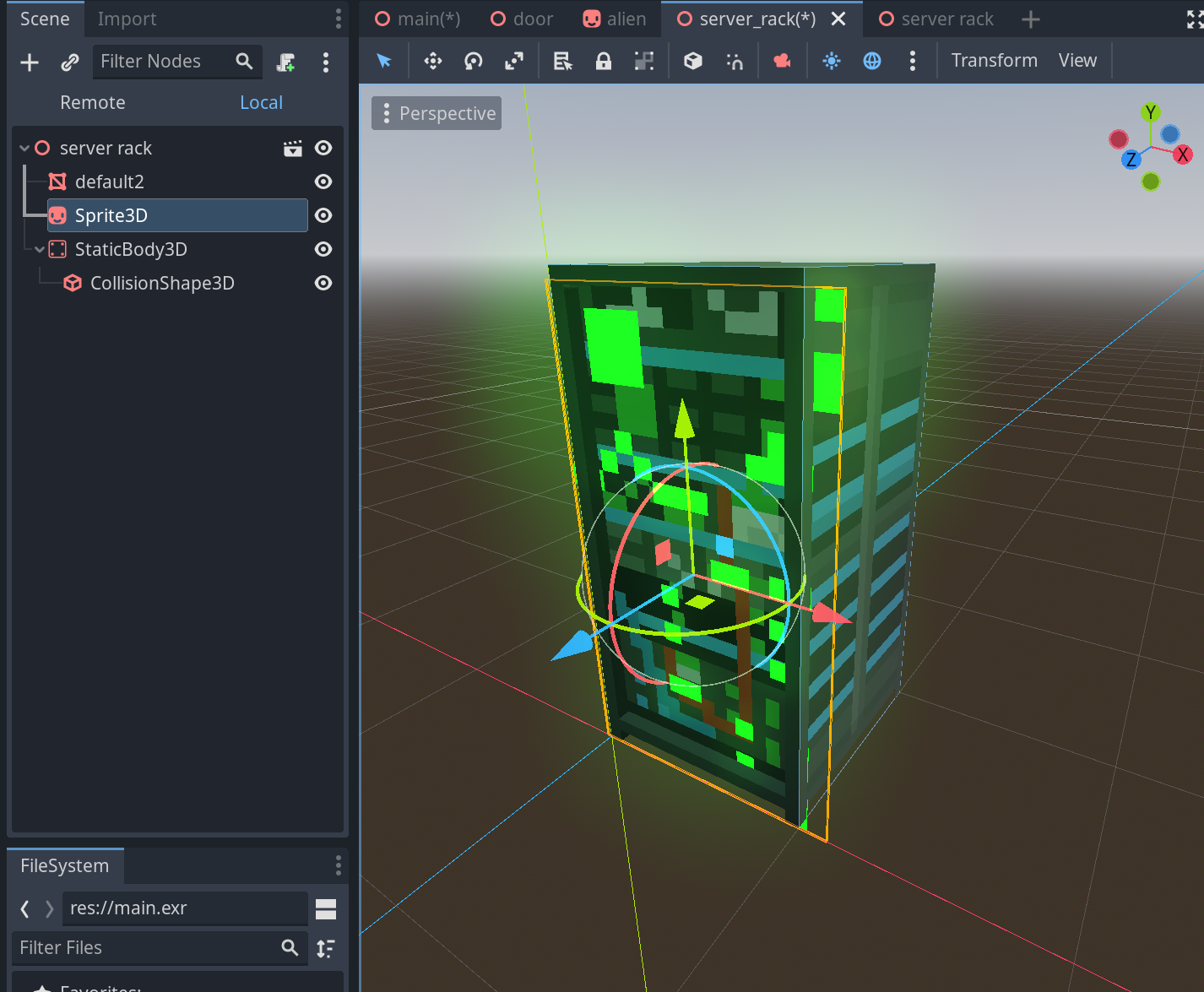
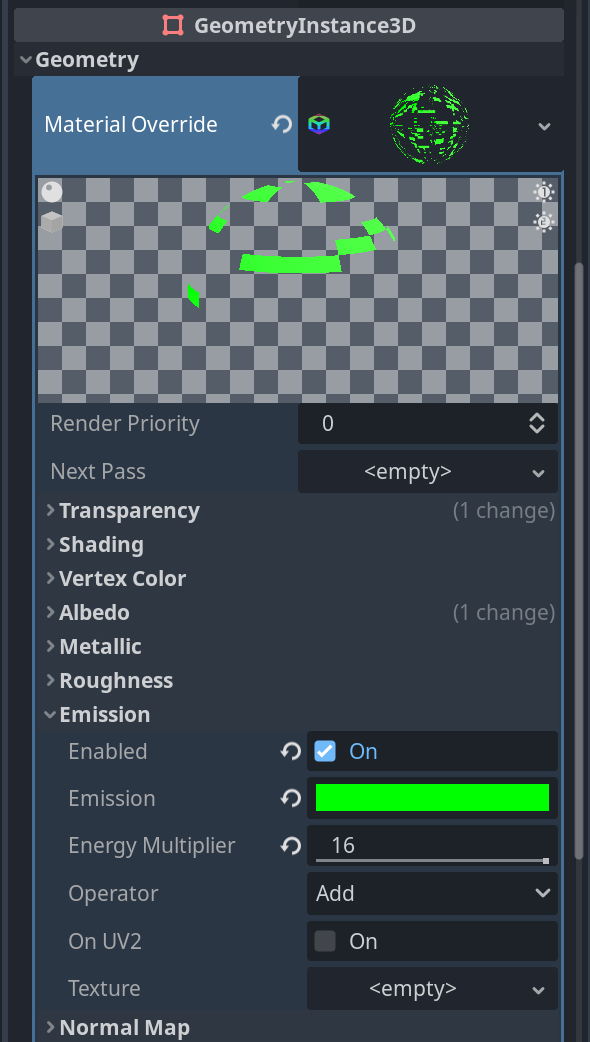
But why does this effect stop working with my cloned project which was using the Forward render and is now using the compatibility render?
This “glow” setting can be reduced down if the Energy Multiplier is changed but that itself is not the setting which is responsible for making it glow, as I understand it this is a pipeline where multiple settings in conjuncture create visual effects. As one can guess it, glow is the setting we are looking for. It can be found in the worldenvironment node.
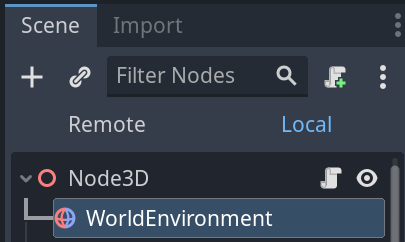
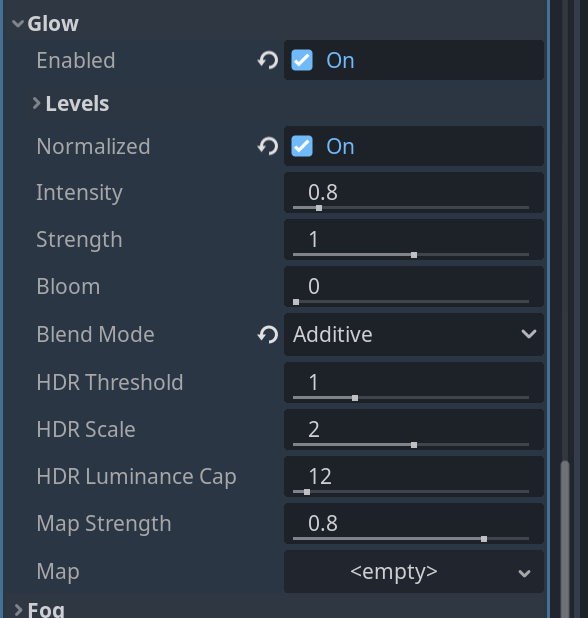
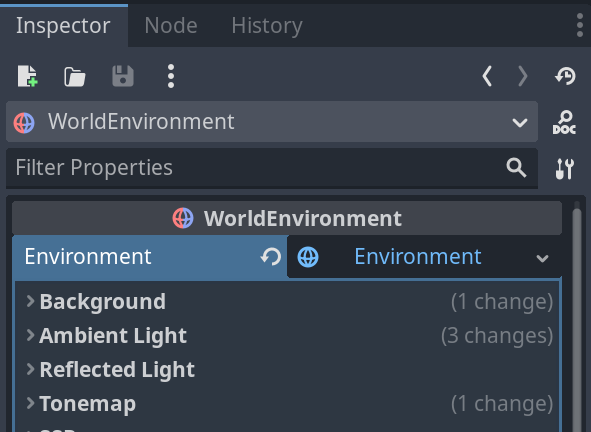
If we disable this one the effect can be seen instantly:
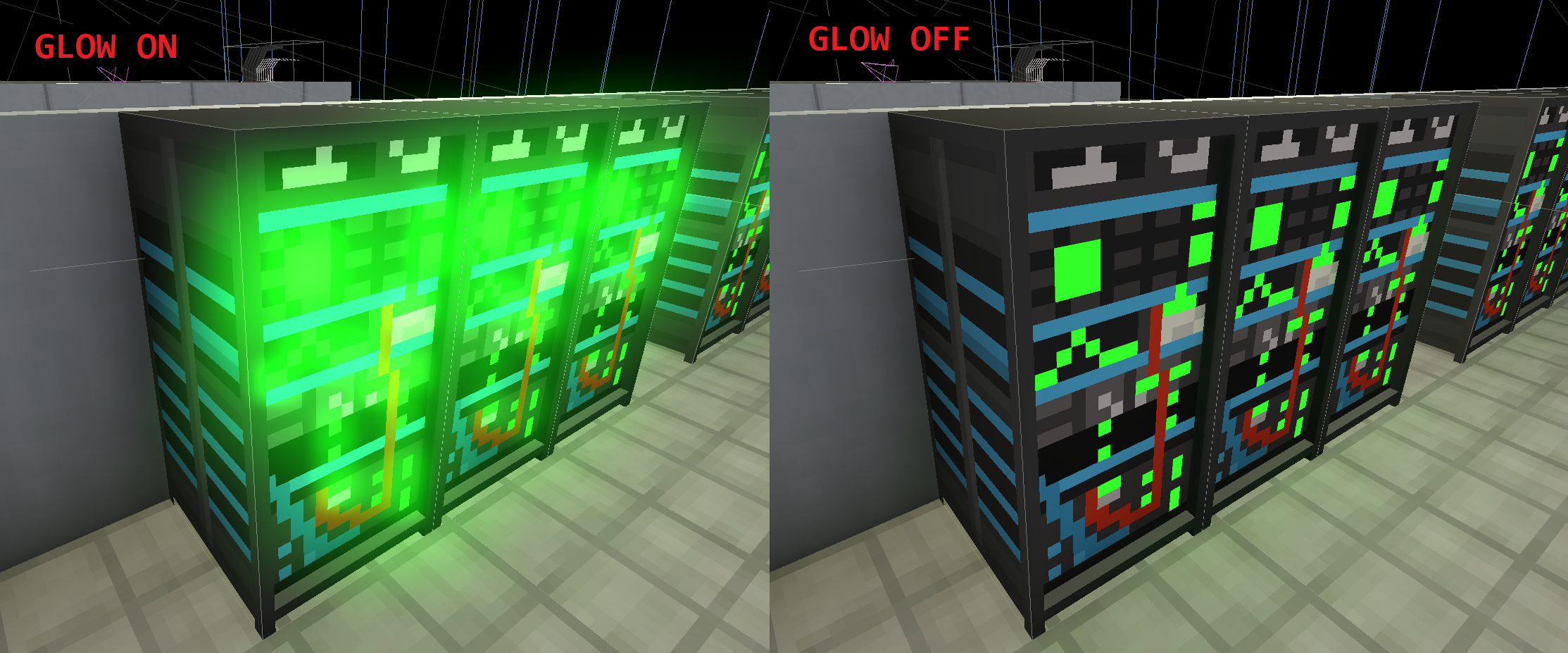
In the worldenvironment node you can also find SSIL and SSAO. I couldnt see any difference in these both settings though.
Why focus on compatibility? I want to do a lot of web builds for people to play and discover. And I do not want to download an exe onto my pc and run it, do you?
These things seem to be missing when using the compatibility render:
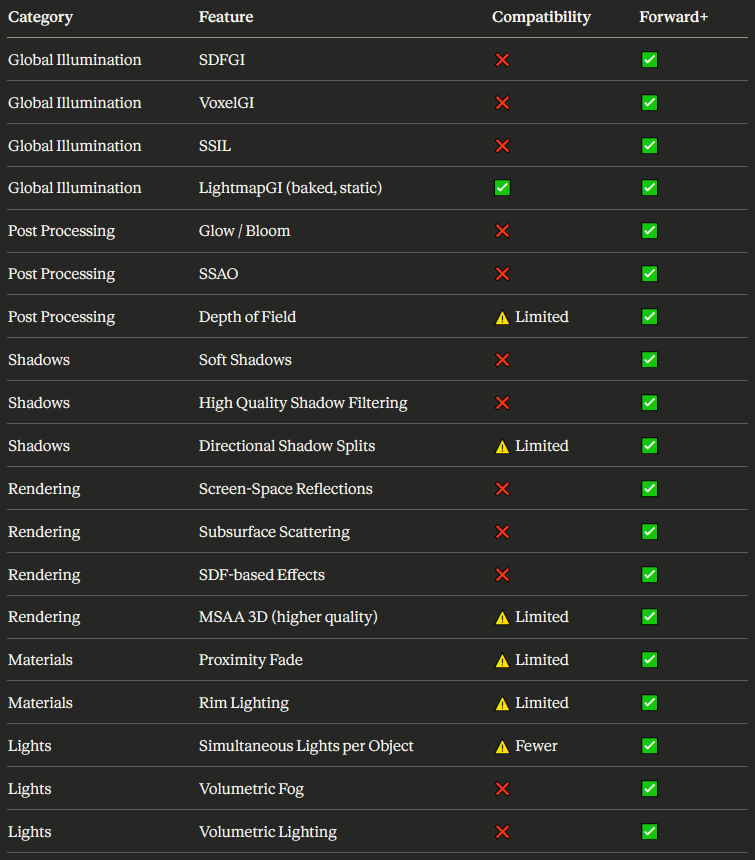
2D webbuilds dont seem to miss anything. But 3D needs workarounds:
- Use baked lightmaps for static lightning (Which also can be used for fake shadows, no runtime cost)
- Fake glow with additive billboard sprites or small Omnilights
- Keep shadow budgets low (Use less directional lights as shadows are expensive to render, lights should emit light but shadow casting should be disabled)
- Use a stylized art direction that does not rely on physically-based lightning tricks
Enough theory, lets continue with the gamejam. I need to create some kind of prototype level, for which I will use the kenneys protoyping assets.
https://godotengine.org/asset-library/asset/781
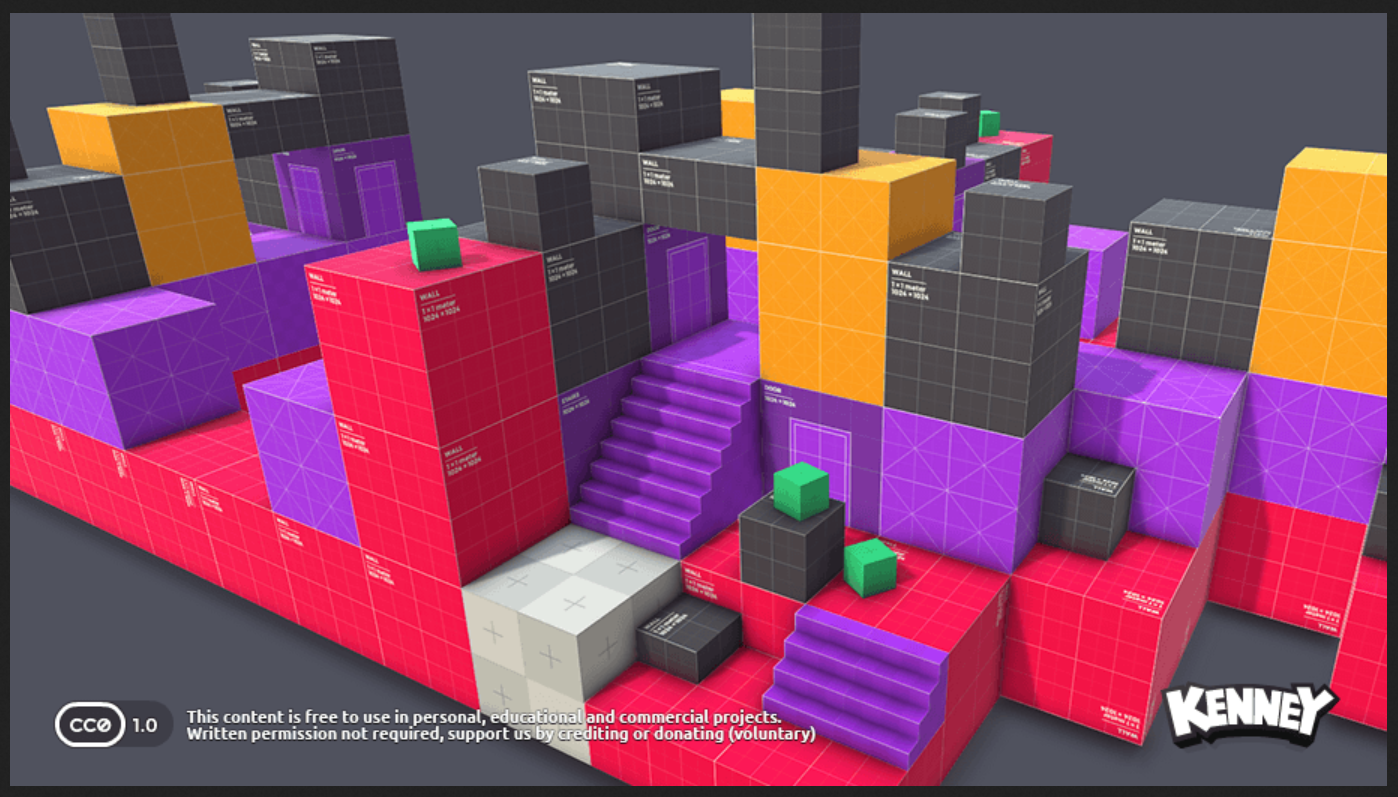
At first I need to understand how to use them properly. I added the textures randomly to some mesh node and the textures were stretched too far.
Looks like there are two ways of doing this. Manual or using premade assets from the godot asset store that use kenneys prototype textures. As I want to learn how it works, I will focus on the manual version.
Some theory as a base for understanding.
Resource: A data container that holds information, like settings, textures, sounds or even whole scenes.
Vertex (Plurar: Vertices): A vertex is a single point in 3D space (x, y, z) that defines part of a shape.
Array-Based: Godot represents mesh geometry as arrays of vertex data. 3D and 2D vertex need as one can guess more or less points to define a point in their respective space.
A Vector3 stores one point’s 3D position (x, y, z): Vector3(1, 0, 0)
A Vector2 stores one point’s 2D position (x, y): Vector2(1, 0)
An Array then holds many such vectors (one per vertex):
Positions = PackedVector3Array([
    Vector3(0, 0, 0),  # Vertex 1 position
    Vector3(1, 0, 0),  # Vertex 2 position
    Vector3(0, 1, 0)   # Vertex 3 position
])
Surfaces: A mesh in godot is divided into one or more surfaces. Each surface is a seperate chunk of vertex arrays. A cube mesh for example has 1 surface. This is a single rendering unit: one set of vertex arrays + one material. At the same time, a cube consists of 6 faces.
Mesh: A type of Resource that contains vertex array-based geometry, divided in surfaces. In Meshes, every corner of every triangle or square is a vertex. Triangle have 3 vertices, Squares 4.
Now lets get into the differenct mesh nodes godot offers in 3D.
MeshInstance3D: Uses a baked mesh, a premade static asset imported from tools like blender. Ideal for speed as there is not much runtime cost.
CSGMesh3D: Not baked, generates the mesh live each frame. Good for prototyping.
MultiMeshInstance3D: Useful for rendering a high number of instances of a given mesh. Why not use only Multimesh if it has no drawbacks in comparison to MeshInstance3D if the main issue is that all copies of the Multimesh must share the same mesh and material? It has to be seen in context. Yes one can create a MultimeshInstance for every variety of mesh, but there are other drawbacks. Like culling, if one instance is visible, the whole batch renders. Lighting, the light budget gets shared across all instances. If the limit is reached, later ones may be unlit. Transform Variety, limited to transform changes. No per-instance UVs, colors or blend shapes.
UVs map a 2D texture onto a 3D mesh, like coordinates which tell which part of the texture goes where on each triangle (All complex models use triangles as the fundamental building blocks).
Continuation in next blog entry…