hobby-ish gamedev. This website contains my raw notes and documents my progress.
Continuing arrays
I need to delve into arrays. I remembered gdquest has an interactive tutorial, which I will use for training.
Vector2
Lets start with 2D Vectors, as these are also part of the dungeon generator. https://gdquest.github.io/learn-gdscript/#course/lesson-16-2d-vectors/lesson.tres
In Godot, vectors are named Vector2. A Vector2 represents 2D coordinates. They contain two decimal numbers, one for x, one for y.
For example scale and position are Vector2, both have x and y sub-variables.
So when moving an object you would use the follwing:
position -= Vector2(50, 0)
This subtracts 50 to the sub-variable x and 0 to y.
Or when scaling up I can use the pre existing property and just add the Vector2 to it.
scale += Vector2(0.2,0.2)
Arrays
A list of values, numbers or otherwise is called array. This means, calling the range() function produces an array of numbers. Arrays are a value type, just like numbers or Vector2. We can assign arrays to variables to reaccess them later.
Arrays in godot are written like this:

In games, arrays are often used for finding and following a path. Many of those algorithms use arrays of Vector2 corrdinates to represent the path.
For example, lets take this turtle, which wants to find its way to the robot. Of course they are also obstacles in the way.
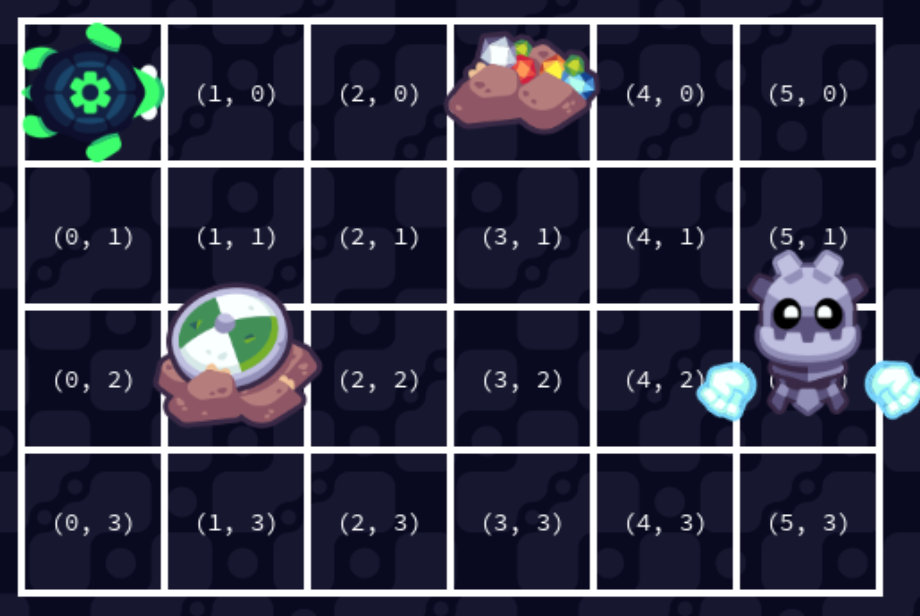
var path_to_robot = [
	Vector2(1,0),
	Vector2(2,0),
	Vector2(2,1),
	...
]
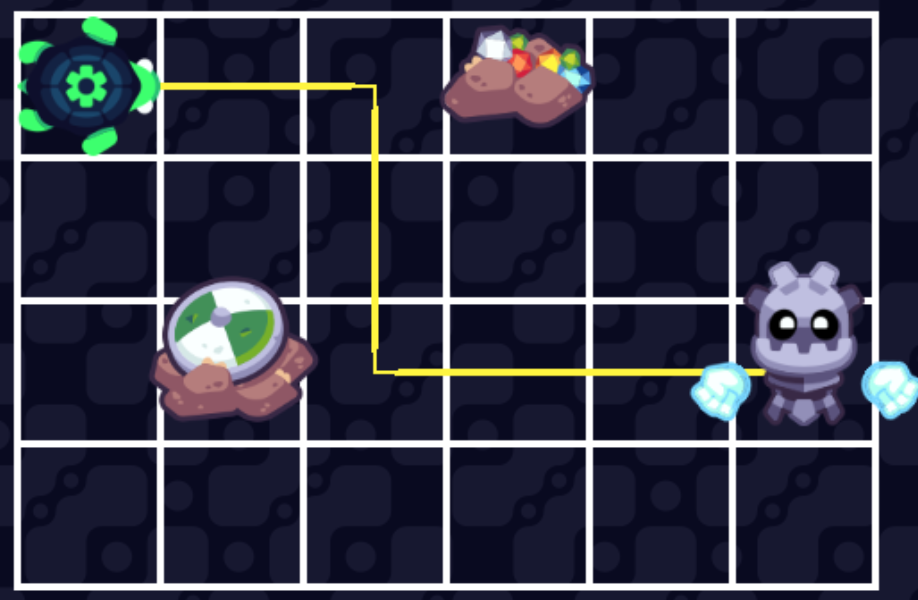
Every value in path_to_robot is a Vector2 and represents all cells the turtle needs to pass through. Which with all values would look like this:
Looping over arrays
Example:
var numbers = [1,2,3]
for number in numbers:
	print(number)
Which will then print: 1, 2 and 3 in three seperate lines.
the in keyword In a condition, the in keyword allows one to check if a value exists in an array. This seems way easier to use than a if function that uses operators to check for cell contents.
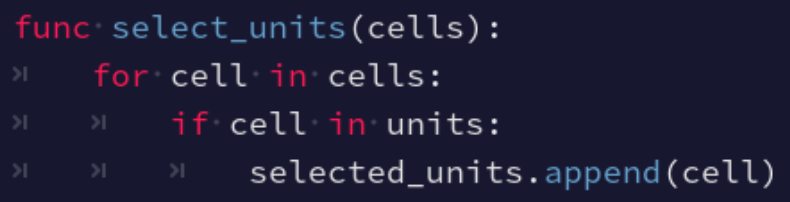
Check that in can be used in the for loop and in the if condition.
Also, another interesting thing to know: When functions exist only on a specific value type, you write a dot after the value to call the function on it. Like in the previous example with .append(cell). This means, that append for example only works for arrays. Or .normalized() works on all Vector2 instances, but not on strings or integers or other types.
Another example if you want to for loop and move a robot through a grid:
var robot_path = [
	Vector2(1, 0),
	Vector2(1, 1),
	Vector2(1, 2),
	Vector2(2, 2),
	Vector2(3, 2),
	Vector2(4, 2),
	Vector2(5, 2)
	]

func run():
	for cell in robot_path:
		robot.move_to(cell)
Another example when trying to jump to the edges of rectales by choosing the x and y sub-variables.
var rectangle_sizes = [
	Vector2(200, 120),
	Vector2(140, 80),
	Vector2(80, 140),
	Vector2(200, 140)
	]

func run():
	for rects in rectangle_sizes:
		draw_rectangle(rects.x,rects.y)
		jump(rects.x,rects.y)
related
https://github.com/DarkDes/AsepriteSpriteStackEd Sprite Stacker
Credit: GDquest